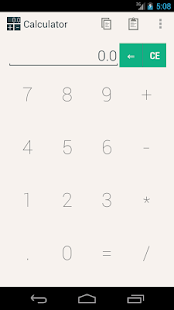
Magic Calculator
You enter these numbers in your calculator and you multiply them.
Then you show the audience that you knew the outcome already before the trick.
How did you do this?
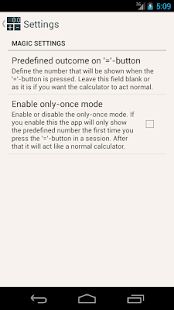
With Magic Calculator of course.With Magic Calculator you can force that the calculator outputs a certain number when you press the equal button.
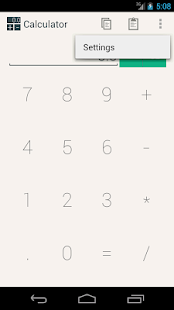
It also supports a handy 'only-once' mode, which makes sure the app only shows the forced number the first time you press the equal-button in a session, afterwards it acts like a normal calculator.Magic Calculator looks and acts like a normal calculator, but you can make it force an answer.
That way you can make it look like you knew what numbers they were going to say before you did the trick.
Features-Looks like a normal calculator-But you can make it force answers-Doesn't show totals until you press the equal-button, so that your audience can't notice the answer is wrong-Supports a only-once mode where it acts like a normal calculator after one time
Special thanks to Matthew Townsend for the idea!
ContactMail us at [email protected] with bugs, questions and suggestions for functions.
Keywordsmagic, calculator, trick, prank, magician, magic, fun, predict, jmstudios, jm studios
About Magic Calculator
- Package name (App ID)
- home.jmstudios.magiccalc
- Available on
- Google Play
- Price
- Free
- Version
- v1.1
- Developer
- JM Studios
Looking for the Magic Calculator APK?
The safest way to get Magic Calculator (home.jmstudios.magiccalc) on your Android device is to install it directly from Google Play — you'll always get the latest official version, automatic updates, and no risk of modified or infected APK files from third-party sites.
Productivity Tools
Boost your productivity with powerful tools and features.
Food & Dining
Discover recipes and order food from your favorite restaurants.
24/7 Support
Our dedicated support team is always ready to help you.
See Magic Calculator in Action
Frequently Asked Questions
Is Magic Calculator free?
Yes, Magic Calculator is free to download and install on Android through Google Play.
How do I install Magic Calculator on Android?
Open Google Play on your Android phone or tablet, search for Magic Calculator by JM Studios or tap the Google Play button on this page, then tap Install. The app downloads and installs automatically.
What is home.jmstudios.magiccalc?
home.jmstudios.magiccalc is the App ID (package name) of Magic Calculator on Google Play. Every Android app has a unique package name, and it is the safest way to verify you are installing the official app.
Is Magic Calculator safe to download?
Installing Magic Calculator from Google Play is the safest option: you get the official version published by JM Studios, verified by Google Play Protect, with automatic updates. Avoid APK files from unofficial third-party sites.

Get Magic Calculator Today
Magic Calculator for Android — free download on Google Play.
Compatible with Android phones and tablets — available on Google Play.
Ask AI about this app
Get instant answers about features, tips and more from popular AI assistants.